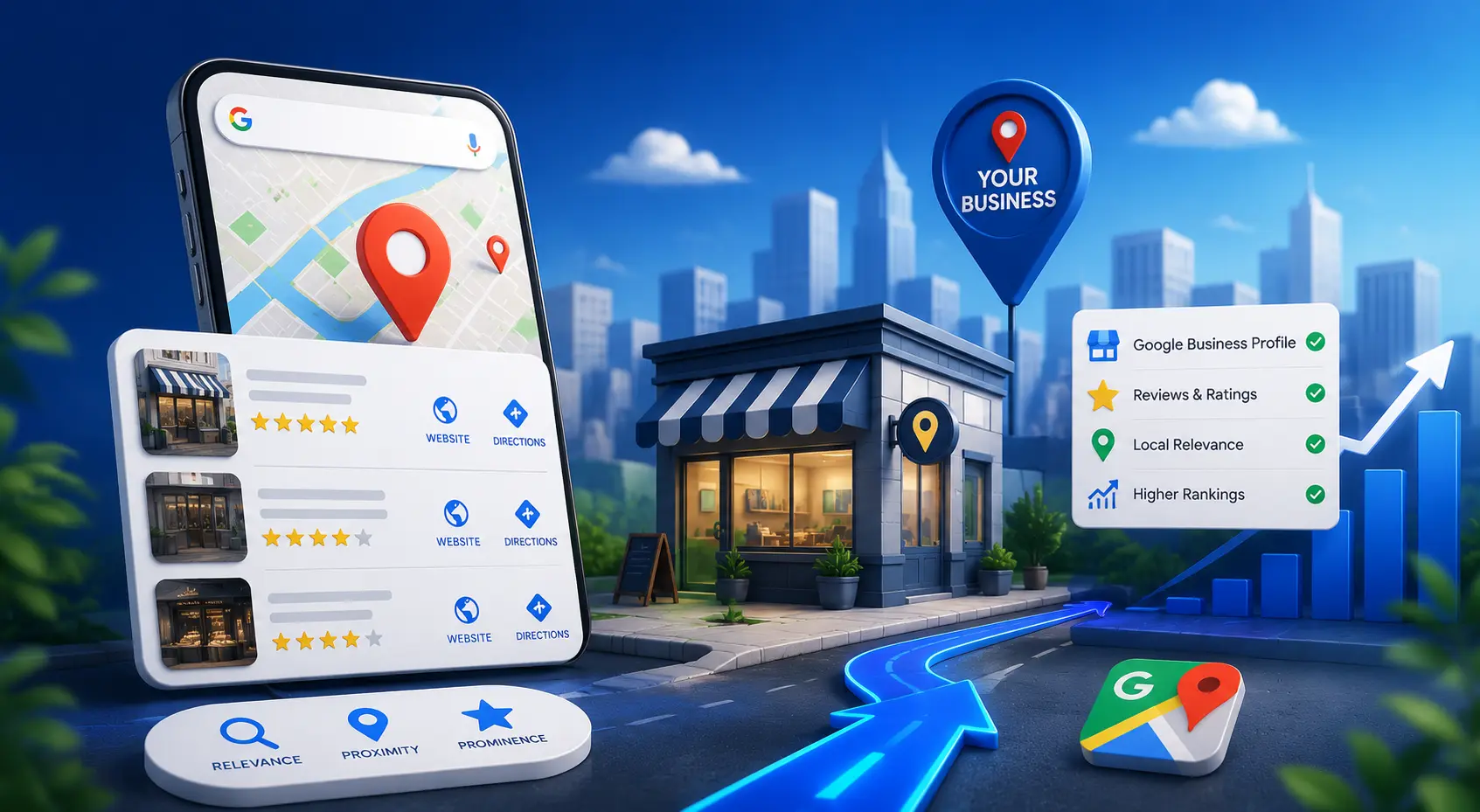

Search "coffee near me," "plumber in Ahmedabad," or "best dentist open now," and Google shows a small block of nearby businesses on a map, right at the top. For any business that serves customers in a specific area, landing in that block is one of the highest-value things you can do online — and it's what local SEO is all about.
This guide explains how Google actually ranks local results, how to optimise your Google Business Profile, and where reviews, consistent business information and local schema fit in. Everything here is grounded in Google's own documentation — no myths, no made-up numbers.
Key Takeaways
- Google ranks local results on three factors: relevance, distance and prominence.
- You cannot pay for a better local ranking — Google says so directly.
- A complete, verified Google Business Profile is free and is the single most important local SEO asset.
- Reviews matter, and Google encourages replying to them — but paid or incentivised reviews are against the rules.
- Keep your business name, address and phone consistent everywhere, because Google compiles your info from across the web.
What Is Local SEO (and the "Local Pack")?
Local SEO is the practice of improving how your business appears in location-based searches — on Google Maps and in the local results that show up in normal Search. When a query has local intent, Google often displays a map with a short list of nearby businesses, each with a rating, hours and contact options.
You'll hear SEOs call that block the "local pack," "map pack" or "3-pack." Those are industry nicknames, not official Google terms — Google simply calls them local results. The "3" comes from the fact that the block usually shows three businesses, though that's an observed norm rather than a fixed rule. Ranking in it is the goal, because it sits above the traditional links and captures high-intent, ready-to-act searchers.
How Google Ranks Local Results
Google is unusually transparent here. Its official guide, "Tips to improve your local ranking on Google," states that local results are based primarily on three things.
1. Relevance
Relevance is "how well a Business Profile matches what someone is searching for," in Google's words. You improve it by giving Google complete, detailed information about your business — the right categories, services, and a description — so it can match you to the right searches.
2. Distance
Distance is "how far each business is from the customer who's searching." You can't move your shop, but you can make sure your address and service areas are accurate so Google places you correctly on the map.
3. Prominence
Prominence is how well-known your business is. Google says this is "based on info like how many websites link to your business and how many reviews you have," along with your wider presence across the web. This is where reviews, links, and a strong overall reputation pull their weight.
Google is explicit: "There's no way to request or pay for a better local ranking on Google." Anyone who promises to pay Google for a guaranteed map position is misleading you. What genuinely works is a complete profile, accurate information and real reputation — exactly what this guide covers.
Your Google Business Profile: The Foundation
Your Google Business Profile (formerly Google My Business, renamed in November 2021) is the free listing that powers your presence on Maps and in local results. Google says you can "manage how your business shows up on Maps and Search at no charge." If you do only one thing for local SEO, make it this: claim, verify and fully complete your profile.
Google's own ranking guide spells out what to do. Here are the steps it explicitly recommends:
Complete every piece of information
Google states that "businesses with complete and accurate info are more likely to show up in local search results." Fill in your name, address, phone, website, hours, categories, attributes and description — leave nothing blank.
Verify your business
Verification "tells Google that you're authorized to represent the business, so it's more likely to show up in search results." An unverified profile is a missed opportunity.
Keep your hours accurate — including holidays
Google recommends you "regularly update your business hours," including regular and special (holiday) hours. Nothing frustrates a customer — or Google — like showing "open" when you're closed.
Add photos and videos
Photos and videos let you "show customers what you offer and tell the story of your business." Profiles with real, current imagery look trustworthy and inviting.
Show your products and services
Google lets retail and service businesses list what they offer directly on the profile — another signal of relevance and another reason for a searcher to choose you.
A profile isn't "set and forget." Keep hours, photos, services and contact details current, and it will keep working for you. Our digital marketing team manages Business Profiles as part of a wider local strategy — so your listing, website and reviews all pull in the same direction.
Keep Your Business Info Consistent Everywhere
Google doesn't only read your Business Profile. It explains that your business information is "compiled from a variety of sources," including "publicly-available information, such as crawled web content," licensed data from third parties, and contributions from users. In other words, Google cross-checks what it finds about you across the whole web.
That's why consistency matters. If your name, address and phone number (often shortened to "NAP") appear differently on your website, Facebook, a directory and an old listing, you send Google conflicting signals. Make them identical everywhere:
- Use the exact same business name, address format and phone number across your site and every listing.
- Claim and correct your presence on other platforms too — Bing Places and Apple Business Connect are separate from Google, but they shape your overall online footprint.
- Hunt down and fix (or remove) old, duplicate or wrong listings.
Think of this as basic hygiene: it isn't a magic ranking trick, but inconsistent data actively works against the accuracy Google is trying to establish.
Reviews: What Google Actually Says
Reviews feed directly into prominence — Google names "how many reviews you have" as a ranking input. Beyond the count, reviews are often the deciding factor for a customer choosing between two nearby options.
Google actively encourages engagement: "When you reply to customer reviews, it shows that you value their feedback." Responding — to praise and to complaints — is a visible sign of a business that cares.
Google's content policy is clear: contributions "should reflect a genuine experience at a place or business." It prohibits "reviews or ratings that have been paid for," and businesses may not offer incentives — payment, discounts, free goods or services — in exchange for reviews. Fake reviews can get your content removed. Ask happy customers for honest feedback; never pay for it. According to BrightLocal's 2025 Local Consumer Review Survey, 83% of consumers used Google to read reviews, and only 7% say they don't expect businesses to respond to reviews — so genuine reviews and thoughtful replies are worth the effort.
Add LocalBusiness Schema to Your Website
Structured data helps search engines understand your website. For local businesses, Google supports LocalBusiness structured data, which lets you describe your hours, departments, ratings and more — and can make your business eligible for enhanced displays like a knowledge panel in Search.
Google's best-practice advice is to "use the most specific LocalBusiness sub-type possible" — for example Restaurant, DaySpa or HealthClub — and to define each location as its own LocalBusiness. Here's a clean example using SCloud's real, public details:
<script type="application/ld+json">
{
  "@context": "https://schema.org",
  "@type": "ProfessionalService",
  "name": "SCloud",
  "url": "https://scloud.smit-patel.in/",
  "image": "https://scloud.smit-patel.in/assets/favicon.png",
  "email": "infoscloud06@gmail.com",
  "address": {
    "@type": "PostalAddress",
    "streetAddress": "Jagatpur",
    "addressLocality": "Ahmedabad",
    "addressRegion": "Gujarat",
    "addressCountry": "IN"
  },
  "sameAs": [
    "https://www.facebook.com/scloud.net",
    "https://www.instagram.com/_s_cloud/",
    "https://www.linkedin.com/company/scloud.digital/"
  ]
}
</script>LocalBusiness schema helps your website earn rich results in Google Search — it isn't a lever for your Google Maps / local-pack position, which is driven mainly by your Business Profile. Use both: schema on your site, and a fully optimised profile. New to structured data? Start with our guide to schema markup for SEO.
The Rise of "Near Me" Search
Local intent has been climbing for years, especially on mobile. Google's own Think with Google research (2018) documented more than 900% growth in mobile searches for "___ near me today/tonight" over a two-year period. People increasingly expect to find something relevant, open and close by, right when they need it — and a well-optimised local presence is how you meet them at that moment.
Common Local SEO Mistakes to Avoid
- An unclaimed or unverified profile — you're invisible to a large slice of local searchers.
- Inconsistent name, address or phone across your site and listings — conflicting data undermines Google's confidence.
- Buying or incentivising reviews — against Google's policy and a risk to your listing.
- Ignoring reviews — never replying signals a business that isn't paying attention.
- Wrong or outdated hours — especially over holidays; it erodes trust fast.
- Falling for "pay for rank" pitches — Google doesn't sell local ranking positions.
Frequently Asked Questions
What is the Google "local pack" or "3-pack"?
It's the block of local businesses Google shows with a map for location-based searches. "Local pack," "map pack" and "3-pack" are industry nicknames — Google calls them local results. The block usually shows about three businesses, but that number isn't a fixed rule.
How does Google decide local rankings?
According to Google, local results are based on three main factors: relevance (how well your profile matches the search), distance (how close you are to the searcher) and prominence (how well-known your business is, including reviews and links).
Can I pay Google to rank higher on Maps?
No. Google states plainly: "There's no way to request or pay for a better local ranking on Google." You improve your position through a complete, verified profile, accurate information and a genuine reputation — not payment.
Is a Google Business Profile free?
Yes. Google lets you manage how your business appears on Maps and Search at no charge. It's the most valuable free tool in local SEO — claim it, verify it and complete every field.
Do reviews affect my local ranking?
Yes — Google names review count as part of prominence, and encourages you to reply to reviews. But paid or incentivised reviews violate Google's policies, so only ever ask for honest, genuine feedback.