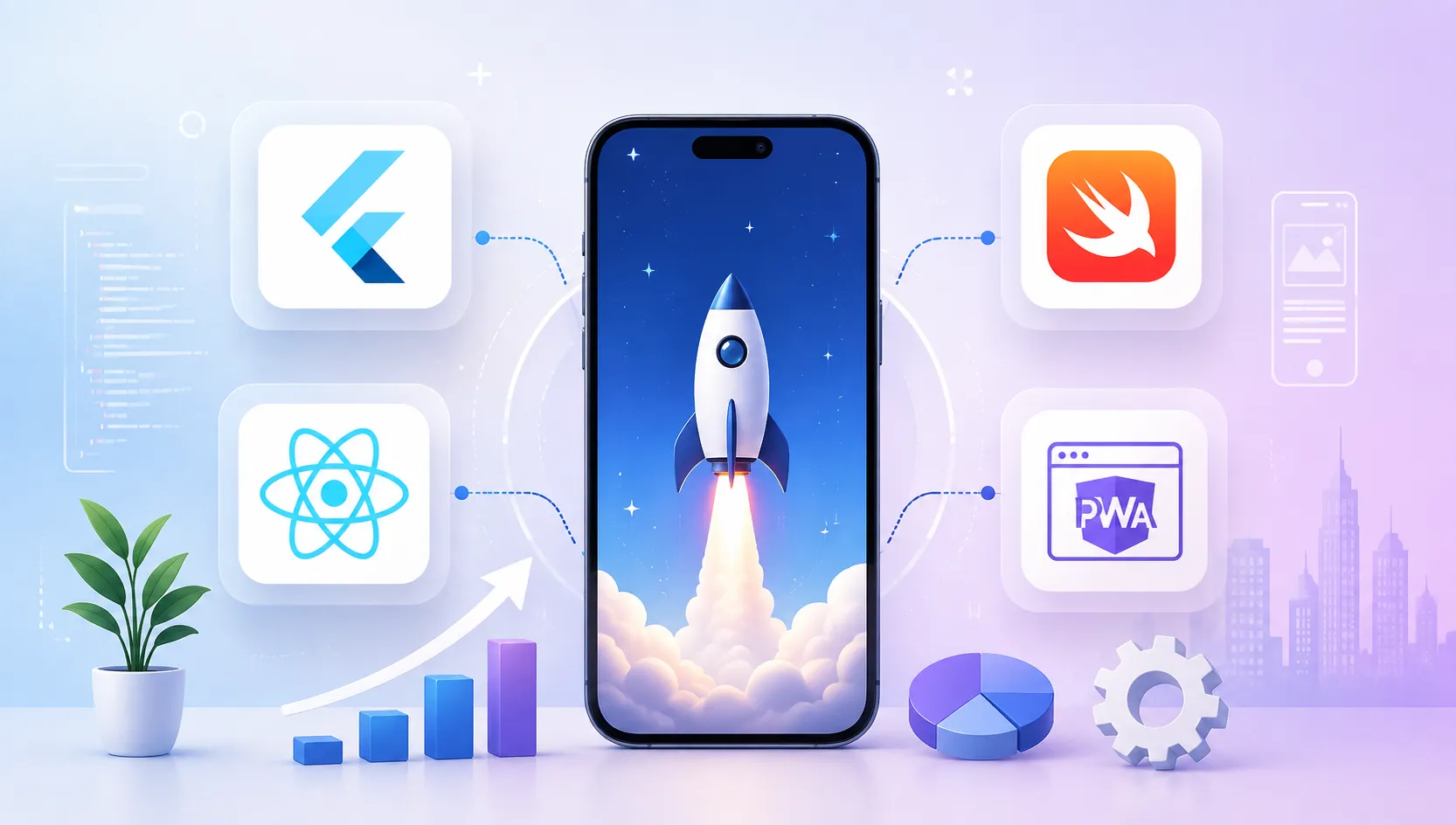

For over 85% of early-stage startups in 2026, choosing a cross-platform framework—specifically React Native or Flutter—is the highest ROI decision. Cross-platform cuts initial engineering costs by 40–50%, halves your time-to-market (6–10 weeks vs. 16–20 weeks for dual native), and allows a single engineering team to ship updates simultaneously to iOS and Android. Only choose 100% Native (Swift/Kotlin) if your product requires extreme low-level device control (e.g., custom camera hardware, AR/VR, or real-time digital audio processing).
Key Takeaways For Startup Founders
- React Native is King for Web-First & SaaS Teams: If you already have React/TypeScript developers, React Native allows up to 70–80% shared business logic between your web app and mobile apps.
- Flutter Wins on Pixel-Perfect Consistency: Powered by Google's Impeller rendering engine, Flutter delivers flawless 120 FPS animations and identical UI across iOS, Android, and Desktop without OS-specific rendering quirks.
- Kotlin Multiplatform (KMP) is the Emerging Enterprise Challenger: KMP lets you share heavy business logic while writing 100% native SwiftUI and Jetpack Compose UIs—ideal for scale-ups with existing native codebases.
- Avoid Native Dual-Building for Your First MVP: Hiring separate iOS (Swift) and Android (Kotlin) teams burns your cash runway twice as fast with zero competitive advantage for standard CRUD/commerce apps.
For a startup founder, choosing a mobile technology stack is rarely just a technical decision—it is a financial and strategic survival decision.
According to startup post-mortem analyses, premature architectural complexity and runaway development costs account for over 38% of early-stage startup failures. Building two separate native codebases (Swift for iOS and Kotlin for Android) from day one often depletes your pre-seed or seed funding before you ever achieve product-market fit (PMF).
At the same time, settling for a sluggish, buggy web wrapper will destroy your user retention within minutes of launch. In 2026, mobile users expect sub-second startup times, butter-smooth 120Hz scrolling, and immediate haptic feedback.
"The goal of a startup MVP is not to write code for the next 10 years; it is to learn from real users in the next 10 weeks at the lowest possible cost."
In this comprehensive founder’s guide, we compare the top mobile app frameworks in 2026—Flutter, React Native, Kotlin Multiplatform (KMP), Native (Swift/Kotlin), and Progressive Web Apps (PWAs)—analyzing development speed, talent availability, performance benchmarks, real-world costs, and common pitfalls.
1. The 2026 Mobile Framework Landscape: What Has Changed?
If you last evaluated cross-platform development two or three years ago, the ecosystem has transformed dramatically:
- The Death of the "Laggy Bridge": In previous years, React Native relied on an asynchronous JSON bridge that caused stutter during heavy list scrolling or complex gestures. With React Native’s New Architecture (Fabric Renderer, TurboModules, and JSI), JavaScript directly communicates with native C++ in memory with zero serialization overhead.
- Flutter's Impeller Engine: Flutter completely replaced its legacy Skia rendering backend on iOS and Android with Impeller. Impeller pre-compiles shaders ahead of time (AOT), permanently resolving early-frame shader compilation stutter ("jank") and delivering rock-solid 60–120 FPS animations.
- Mainstream Enterprise Adoption: Cross-platform is no longer just for prototypes. Global market leaders like Shopify, Discord, Coinbase, BMW, Nubank, and Google Ads power their primary flagship mobile applications using React Native and Flutter.
- Maturity of Kotlin Multiplatform (KMP): JetBrains and Google officially promoted KMP to production stability, giving teams a modern way to share networking, caching, and analytics while keeping platform-native UI declarations.
2. 2026 Mobile App Framework Comparison Matrix
Here is an objective side-by-side benchmark of the five primary mobile development options available to startups today:
| Criteria | Flutter | React Native | Kotlin Multiplatform (KMP) | 100% Native (Swift + Kotlin) | PWA (Web App) |
|---|---|---|---|---|---|
| Primary Language | Dart | JavaScript / TypeScript | Kotlin (Swift for iOS UI) | Swift (iOS) & Kotlin (Android) | HTML5 / CSS / JavaScript |
| Time to MVP (Avg.) | 6 – 10 Weeks | 6 – 10 Weeks | 10 – 14 Weeks | 16 – 22 Weeks | 3 – 6 Weeks |
| Code Reusability | 90% – 95% (UI + Logic) | 80% – 90% (UI + Logic) | 50% – 70% (Logic only) | 0% (Two independent codebases) | 100% (Single web build) |
| UI Rendering | Custom Canvas (Impeller) | Native OS Views (Fabric) | 100% Native (SwiftUI / Compose) | 100% Native (SwiftUI / Compose) | Browser DOM / WebKit |
| Performance / FPS | ⚡ Near-Native (60–120 FPS) | ⚡ Near-Native (60–120 FPS) | 🚀 100% Pure Native | 🚀 100% Pure Native | 🐢 Moderate (DOM Bound) |
| Global Talent Pool | Moderate (Growing fast) | 🏆 Massive (JS/TS Ecosystem) | Moderate (Requires Native Devs) | Expensive & Fragmented | 🏆 Massive (Web Devs) |
| App Store Distribution | Yes (App Store & Google Play) | Yes (App Store & Google Play) | Yes (App Store & Google Play) | Yes (App Store & Google Play) | No (Direct Web URL / PWA Add) |
3. Flutter (by Google): The Custom UI & Cross-Platform Powerhouse
Created by Google, Flutter is an open-source UI software development kit that uses the Dart programming language. Unlike React Native, Flutter does not wrap native iOS or Android controls; instead, it renders every pixel itself onto an internal Skia/Impeller canvas.
Key Advantages for Startups:
- Pixel-Perfect Visual Consistency: Because Flutter controls every pixel rendered on the screen, your app will look 100% identical on an iPhone 16 Pro, an entry-level Android phone, and a tablet. You eliminate "device-specific rendering bugs."
- Rich Built-in Widget Catalog: Flutter ships out of the box with comprehensive Material 3 and Cupertino (iOS-style) widget libraries. You rarely have to build UI components from scratch.
- Stateful Hot Reload: Developers can modify code and see changes in sub-second time without losing current application state, speeding up feature iteration by 30–40%.
- Multi-Platform Reach (Mobile + Desktop + Web): Flutter can compile the same codebase for iOS, Android, macOS, Windows, Linux, and Web from a single project structure.
Potential Drawbacks:
- Dart Talent Pool: While Dart is straightforward for any Java, C#, or JavaScript developer to pick up, finding senior Dart engineers is slightly harder than finding TypeScript engineers.
- Larger App Download Size: Because the Flutter rendering engine is bundled inside the binary, the initial base app size is typically 4MB to 8MB larger than a raw native app.
Choose Flutter if you are building a B2C application with custom animations, a consumer fintech app with custom charts, a social lifestyle app, or if you need a desktop + mobile product from a single development team. Learn more in our custom app development services.
4. React Native (by Meta): The Ecosystem Champion
Backed by Meta (Facebook) and an enormous open-source ecosystem, React Native allows developers to build mobile applications using JavaScript and TypeScript with the popular React component paradigm.
Key Advantages for Startups:
- Massive Developer Talent Pool: JavaScript and TypeScript are the most popular programming languages in the world. If your startup already has web developers building a React or Next.js web application, they can immediately contribute to the mobile app.
- Truly Native OS Components: React Native compiles down to actual native platform views (UIKit / SwiftUI on iOS and Android Views). Buttons, text inputs, and scroll views look and feel like native system controls.
- Unmatched Ecosystem of NPM Packages: With hundreds of thousands of pre-tested packages for analytics, authentication, payments, charts, and caching, you rarely have to reinvent common functionality.
- Over-The-Air (OTA) Updates: Using tools like Expo Updates or Microsoft CodePush, startups can push critical bug fixes and UI updates directly to users' devices within seconds, bypassing the 24–48 hour App Store review queue for non-binary changes.
Potential Drawbacks:
- Third-Party Dependency Maintenance: React Native apps often rely on third-party npm bridge packages. Major annual OS updates (like iOS 19 or Android 17) can occasionally cause breaking changes in unmaintained community libraries.
- UI Differences Across Platforms: Because it uses native platform views, a design might look slightly different on iOS vs Android unless explicitly styled.
Choose React Native if your business is "web-first", you are building a B2B SaaS platform with an existing React dashboard, or you want to hire from the largest engineering talent market on Earth.
5. Kotlin Multiplatform (KMP): The Modern Native Compromise
Developed by JetBrains, Kotlin Multiplatform (KMP) takes a different philosophical approach to cross-platform code sharing. Instead of trying to unify the UI layer, KMP lets developers write all backend logic, networking, database storage, state management, and business rules once in Kotlin, while creating 100% native user interfaces (using SwiftUI on iOS and Jetpack Compose on Android).
Key Advantages:
- Zero Performance Compromise: Since the UI is rendered 100% through native iOS and Android framework APIs, performance and touch latency are identical to pure native development.
- Seamless Gradual Adoption: If you already have an existing native iOS and Android app, you can migrate pieces of business logic to KMP without rewriting the entire application.
- Native Platform Freedom: Full, unencumbered access to every iOS and Android OS capability the day Apple or Google announces it at WWDC / Google I/O.
Why It May Be Challenging for Early Startups:
- Requires Two UI Teams: You still need developers fluent in SwiftUI (iOS) and Jetpack Compose (Android). This increases MVP build time and engineering payroll compared to Flutter or React Native.
6. 100% Pure Native (Swift & Kotlin): When Is It Worth 2x Cost?
Building two completely separate native codebases (Swift for iOS and Kotlin for Android) offers maximum technical capability, but at the highest cost and slowest velocity.
Only Choose 100% Native If Your Startup Requires:
- Intensive Low-Level Hardware Access: Custom Bluetooth Low Energy (BLE) peripheral protocols, custom camera ISP firmware filters, or background sensor sampling.
- Advanced Augmented Reality (AR / VR): Deep integration with Apple ARKit, VisionOS, or Google ARCore.
- Real-Time Audio / Video DSP: Digital Signal Processing apps, audio synthesis, DAW tools, or low-latency video editing suites.
- Heavy 3D Mobile Gaming: For 3D gaming, native engines or specialized game engines like Unity / Unreal Engine are mandatory.
Over 70% of non-technical founders mistakenly think "real apps must be written natively." If your app is an e-commerce store, a marketplace, a social feed, an on-demand booking app, or a CRM, building native is burning money that should be allocated to customer acquisition and marketing.
7. Progressive Web Apps (PWAs): The Zero-App-Store Route
A Progressive Web App (PWA) is essentially a responsive, high-performance website built with modern web capabilities (Service Workers, Web App Manifests, IndexedDB) that users can install directly to their mobile home screens from Safari or Chrome.
When a PWA is the Right Choice:
- Rapid Idea Validation on a Shoestring Budget ($3k–$8k): You can test demand with real customers in 2 to 4 weeks.
- Bypassing App Store Restrictions & 30% Commission: PWAs do not require App Store approval, giving you 100% control over billing, updates, and content guidelines.
- Internal Enterprise Tools: Field apps for internal staff or B2B client portals where App Store discovery is unnecessary.
8. The 5-Step Startup Framework Decision Matrix
Use this practical 5-step decision tree to identify the exact mobile framework for your startup’s unique constraints:
-
Step 1: Check In-House Skillset
Do you have existing web developers who know React/TypeScript? → React Native is your fastest, cheapest route.
Are you hiring a fresh team or working with an agency? → Flutter or React Native are both top-tier choices. -
Step 2: Evaluate Visual & UI Complexity
Does your app require custom canvas drawings, advanced micro-animations, or a branded design system that must look identical across every phone? → Flutter wins. -
Step 3: Determine Your Time-to-Market Window
Need to launch an MVP to angel investors or beta customers within 6–8 weeks? → React Native (via Expo) or Flutter. -
Step 4: Audit Hardware & Sensor Dependencies
Does your app rely on standard GPS, push notifications, camera photos, biometric face ID, and payments? → Cross-platform handles 100% of this effortlessly.
Does it require low-latency BLE packet streaming or custom AR shaders? → Pure Native (Swift/Kotlin). -
Step 5: Budget & Runway Constraints
Budget under $35,000? → Flutter or React Native.
Budget over $80,000 with dedicated engineering leads? → KMP or Native.
9. Development Cost & Timeline Breakdown for Startups
To help you plan your financial runway, here is what building a production-ready MVP typically looks like in 2026:
| Phase / Milestone | Cross-Platform (Flutter / React Native) | Dual Native (Swift + Kotlin) | PWA (Web Application) |
|---|---|---|---|
| 1. UX/UI Wireframing & Design | 2 – 3 Weeks ($3,000 – $6,000) | 3 – 4 Weeks ($4,500 – $8,000) | 1 – 2 Weeks ($2,000 – $4,000) |
| 2. Frontend App Development | 4 – 6 Weeks ($8,000 – $18,000) | 8 – 12 Weeks ($18,000 – $40,000) | 2 – 4 Weeks ($3,500 – $8,000) |
| 3. Backend APIs & Cloud Database | 3 – 4 Weeks ($4,000 – $9,000) | 3 – 4 Weeks ($4,000 – $9,000) | 2 – 3 Weeks ($3,000 – $6,000) |
| 4. QA Testing, Security & App Store Launch | 1 – 2 Weeks ($2,000 – $4,000) | 2 – 3 Weeks ($4,000 – $8,000) | 1 Week ($1,000 – $2,000) |
| Total Timeline to Launch | 7 – 10 Weeks | 14 – 20 Weeks | 4 – 6 Weeks |
10. 7 Critical Mistakes Startup Founders Make
Avoid these expensive traps that derail early-stage mobile startup projects:
- Building for iOS First, Ignoring Android (or Vice Versa): In global markets, Android accounts for over 70% of mobile users, while iOS drives higher in-app monetization in North America. Building cross-platform lets you capture both revenue channels simultaneously on day one.
- Feature Bloat Before Launch: Your MVP only needs the one core feature that solves your user's primary pain point. Everything else (dark mode, social sharing, AI avatars) can wait for version 1.1.
- Underestimating Ongoing Maintenance Costs: Mobile apps require ongoing maintenance: updating libraries for annual iOS/Android OS updates, maintaining cloud servers, and monitoring crash logs. Budget 15–20% of your initial build cost annually for maintenance.
- Ignoring App Store Review Guidelines: Apple and Google reject apps for missing privacy policies, broken account deletion flows, or attempting to bypass in-app purchase systems for digital goods. Check our compliant privacy policy setup.
- Choosing Tech Stack Based on Developer Hype: Choose the technology that lets you build fast, hire easily, and scale reliably—not whatever trendy library was released on GitHub last week.
- Failing to Implement Mobile Analytics on Day 1: You cannot improve what you do not measure. Integrate Mixpanel, PostHog, or GA4 event tracking before opening to beta users. Learn how in our GTM tracking guide.
- Not Owning 100% of Your Code and Developer Accounts: Always ensure your development agency or freelancers register your Apple Developer Account and Google Play Console in your legal company name, and deliver full Git repository ownership upon completion.
11. Real-World Case Studies: How Market Leaders Chose Their Stack
Shopify transitioned all mobile development to React Native after proving it allowed their web and mobile engineering teams to collaborate seamlessly. By sharing modular component architecture across their Point of Sale (POS) and merchant apps, Shopify achieved a 50% reduction in mobile bug reports and cut feature rollout cycles in half.
Nubank, one of the largest digital banking platforms in the world with over 90 million customers, selected Flutter as their primary mobile framework. The deciding factors were hot reload productivity, unified design system governance, and the ability for a single pull request to deliver identical banking features to both iOS and Android customers simultaneously.
Frequently Asked Questions
Which mobile app framework is best for building a startup MVP in 2026?
For most early-stage startups, React Native or Flutter is the best choice. They allow you to write a single codebase that runs on both iOS and Android, cutting development costs by 40–50% and cutting time-to-market in half. Choose React Native if you already have JavaScript/React web developers, and choose Flutter if your app requires heavy animations, pixel-perfect custom branding, or multi-platform desktop/mobile support.
Is native development (Swift / Kotlin) still necessary for startups in 2026?
Native development is only recommended for startups whose core value proposition depends on hardware-intensive capabilities (e.g., real-time low-latency audio processing, advanced augmented reality/ARKit, heavy background BLE processing, or 3D mobile gaming). For standard SaaS, fintech, e-commerce, marketplace, and social apps, modern cross-platform frameworks deliver near-native 60–120 FPS performance at half the engineering cost.
Can we switch from React Native or Flutter to Native later if our app grows massive?
Yes. Many scale-ups begin with Flutter or React Native to achieve Product-Market Fit. If a specific screen (like a video editor or heavy AR view) requires native optimization down the road, you can write native Swift/Kotlin modules and embed them directly inside your existing cross-platform app without rewriting the entire codebase.
Will Apple or Google reject apps built with Flutter or React Native?
No. Millions of top-ranked apps on both the Apple App Store and Google Play Store are built with Flutter and React Native. Apple and Google evaluate apps based on functionality, performance, user privacy, and guideline compliance—not the underlying framework used to build them.
Can a Progressive Web App (PWA) replace a mobile app for an early-stage startup?
A PWA is great for validation when you want users to test your product instantly via a web browser without going through App Store approvals or paying developer license fees. However, PWAs face limitations on iOS with background sync, push notification reliability, and lack of App Store discovery, making a cross-platform mobile app necessary for long-term customer retention.
Conclusion & Strategic Next Steps for Founders
In 2026, building a successful mobile startup is no longer about who writes the most lines of native code—it is about who can ship, test, iterate, and solve customer problems the fastest.
By choosing a mature cross-platform framework like Flutter or React Native, you protect your startup's cash runway, ship to both app stores in half the time, and maintain the agility needed to outmaneuver competitors.
Ready to turn your mobile app idea into a scalable, high-performance product? Explore our custom mobile app development services or schedule a discovery consultation with the SCloud team today.