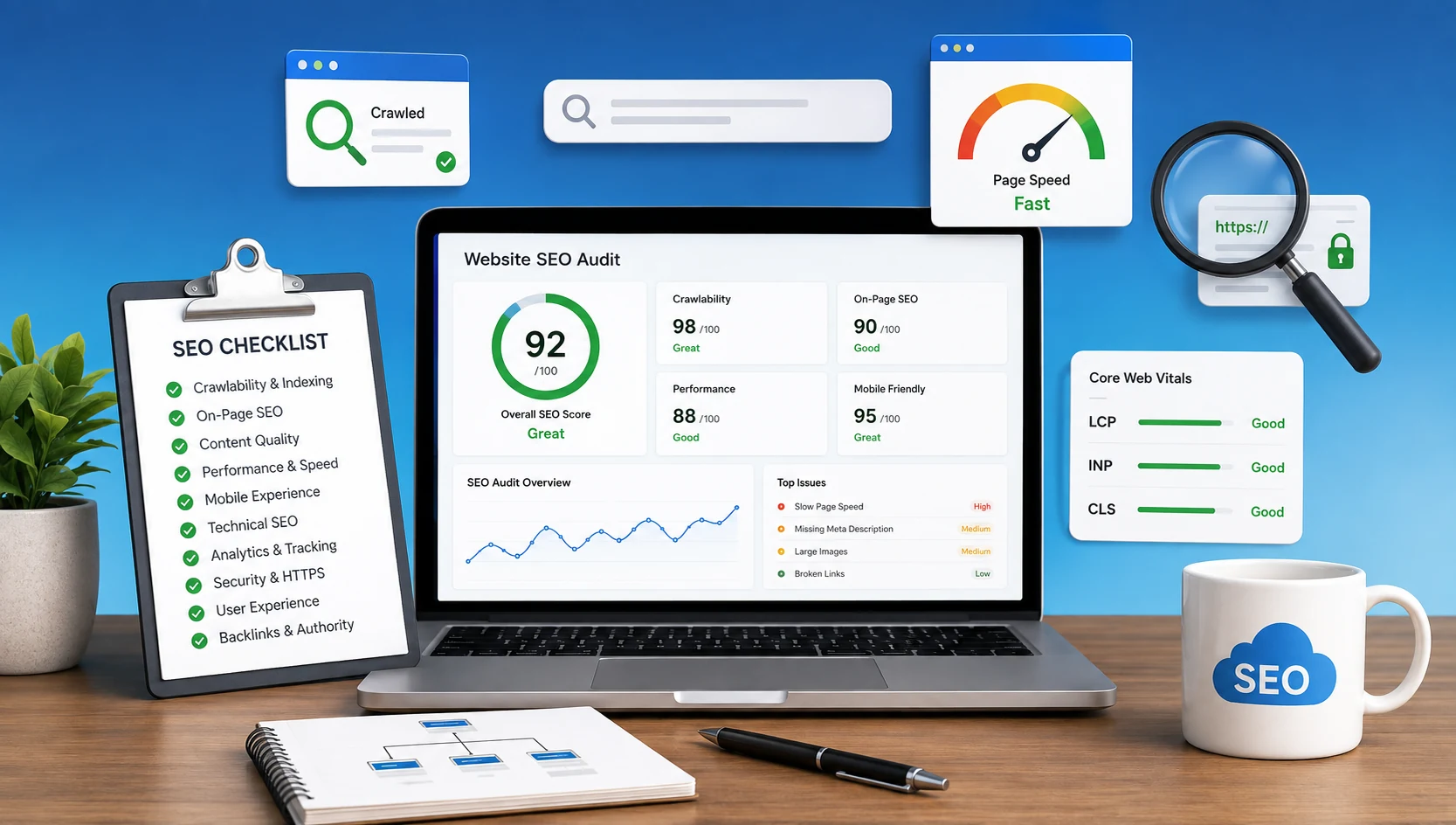

Having a website does not automatically mean that your business can be found on Google.
Your website may look great, work perfectly on your computer, and still have SEO problems that prevent search engines from properly understanding, indexing, and ranking your pages.
The good news is that you can perform a basic SEO health check by reviewing a few important areas.
In this guide, we'll cover 25 important website SEO checks for 2026 and explain what you should look for.
You don't need to fix everything yourself. The purpose of this checklist is to help you understand whether your website has potential SEO issues that may require a deeper technical audit.
An SEO-friendly website is one that can be crawled and indexed properly, loads efficiently, works well on mobile devices, provides useful content, has a clear structure, and allows you to measure organic traffic and conversions.
At a Glance: 25-Point Website SEO Audit Checklist
- Crawlability & Indexing: Verify Google indexation,
robots.txtpermissions, XML sitemaps, HTTPS security, and canonical URLs. - On-Page & Architecture: Optimize descriptive page titles, meta descriptions, clean heading hierarchies (H1 → H2 → H3), readable URLs, and strategic internal links.
- Speed & Mobile UX: Test real smartphone responsiveness, compress images, improve load times, and monitor Core Web Vitals (LCP, INP, CLS).
- Content Quality & Structure: Eliminate duplicate content, deploy schema structured data, satisfy search intent, and focus on clear keyword topics.
- Analytics & Technical Health: Audit Google Search Console, configure GA4 conversion tracking, maintain local SEO signals, review backlink quality, and fix 404/redirect errors.
What Makes a Website SEO-Friendly?
An SEO-friendly website should make it easy for:
- Search engines to crawl and understand your pages
- Google to index your important content
- Visitors to navigate your website
- Users to access your website on mobile devices
- Visitors to find useful information quickly
- Your business to measure traffic and conversions
SEO is not just about adding keywords.
Technical setup, content, website speed, mobile experience, internal linking, security, analytics, and authority all contribute to a healthy website.
25-Point Website SEO Checklist
1. Is Your Website Indexed by Google?
Start by checking whether Google knows about your website.
Search Google for:
site:yourdomain.comThis gives you a quick indication of whether your pages are appearing in Google's index. Google describes the site: search operator as a quick, rough estimate rather than a definitive test.
For a detailed, accurate view, Google Search Console can show which URLs are indexed and which pages may have indexing issues or crawl errors.
2. Check Your robots.txt
Your robots.txt file tells search engine crawlers which areas they can access.
Check:
yourdomain.com/robots.txtMake sure important website sections aren't accidentally blocked.
A small configuration mistake can sometimes prevent search engines from accessing pages you actually want to rank.
Keep in mind that robots.txt is not an indexing-removal mechanism. Google specifically recommends using a noindex meta tag or access restrictions when the goal is preventing indexing.
3. Check Your XML Sitemap
Your website should generally have an XML sitemap containing the important URLs you want search engines to discover.
Check whether your sitemap:
- Exists
- Contains important pages
- Uses the correct URLs
- Is submitted through Google Search Console
If your website has recently been redesigned or migrated (learn more in our guide on how to migrate a website without losing SEO), this check becomes especially important.
4. Make Sure HTTPS Is Working
Your website should use HTTPS.
Check that:
- Your SSL certificate is valid
- HTTP redirects to HTTPS
- Your important pages use HTTPS
- You don't have obvious mixed-content problems
Security is also important for maintaining visitor trust.
5. Review Your Canonical URLs
Canonical URLs help search engines understand the preferred version of a page when similar URLs exist.
Check your important pages for incorrect or missing canonical signals.
This is particularly important for:
- E-commerce websites
- Filtered pages
- Parameter URLs
- Websites with duplicate content
- Large websites
Canonical configuration is a technical area where professional auditing can be useful.
6. Check Your Page Titles
Every important page should have a unique and descriptive title.
For example:
Better:
Web Development & SEO Services for Small Businesses | SCloud
Instead of:
Home | SCloud
Your title should tell both Google and potential visitors what the page is about.
Avoid repeating the same title across multiple pages.
7. Review Meta Descriptions
Meta descriptions should give users a useful reason to visit your page.
They should:
- Describe the page accurately
- Match the content
- Include relevant terms naturally
- Encourage the right users to click
Don't fill your description with keywords.
8. Check Your Heading Structure
Your pages should have a logical heading structure.
Generally:
H1 → H2 → H3
Your main topic should be represented clearly, while subtopics should be organized under appropriate headings.
Don't use headings only to make text larger. Use them to structure your content.
9. Review Your URLs
Good URLs are easy to understand.
For example:
/website-seo-audit-checklistis easier to understand than:
/page?id=2847Try to keep URLs:
- Short
- Descriptive
- Consistent
- Easy to read
If you change an existing URL, make sure the old URL is handled correctly.
10. Check Internal Linking
Internal links connect different pages on your website.
A good internal linking structure helps users discover related content and helps search engines understand your website structure.
Check whether:
- Important pages have internal links
- Blog posts link to relevant service pages
- Related articles are connected
- Important pages are not isolated
Don't add links just to increase the number of links. Every internal link should have a purpose, building a coherent topical cluster across your site.
11. Look for Broken Links
Broken links can create a poor experience for visitors.
They commonly appear after:
- Website redesigns
- URL changes
- Content removal
- Website migrations
Check your important pages for broken internal links and fix them where necessary.
12. Check Your Images
Images can affect both usability and website performance.
Review:
- Image file size
- Image dimensions
- Compression
- ALT text
- File names
- Mobile display
Large, unoptimized images are a common cause of slow-loading pages and can negatively affect user experience and page performance.
13. Test Your Website on Mobile
Open your website on a real smartphone.
Check:
- Is the text easy to read?
- Can users navigate easily?
- Are buttons easy to tap?
- Do images fit the screen?
- Are forms easy to complete?
- Does anything require horizontal scrolling?
A website that works well on desktop but poorly on mobile is not providing a good experience to a large portion of visitors.
14. Check Website Speed
Website performance matters for user experience and search visibility.
Use tools such as Google PageSpeed Insights to identify performance problems.
Look for issues related to:
- Large images
- Excessive JavaScript
- Slow server response
- Unnecessary plugins
- Third-party scripts
- Poor caching
Don't focus only on getting a perfect score. Focus on making the actual website faster and easier to use. For a practical walkthrough of high-impact speed optimizations, explore our guide on how to improve website page speed.
15. Check Core Web Vitals
Core Web Vitals provide useful signals about important aspects of page experience.
The key metrics include:
- LCP — loading performance
- INP — responsiveness
- CLS — visual stability
If important pages consistently perform poorly, your development and SEO teams should investigate the underlying causes. For technical strategies to fix interaction delays and improve responsiveness, check our detailed INP Core Web Vitals optimization guide.
16. Look for Duplicate Content
Check whether multiple pages contain substantially similar content.
This can happen with:
- Product variations
- Service pages
- URL parameters
- Duplicate blog posts
- Multiple versions of the same page
Don't create several nearly identical pages just to target slightly different keywords.
17. Check Structured Data
Structured data can help search engines better understand certain types of content.
Depending on your website, you may use structured data for things such as:
- Organization
- Local business
- Articles
- Products
- Breadcrumbs
- Events
The important point is that structured data should accurately represent the content on the page. Learn how to implement JSON-LD step by step in our Schema markup guide and discover how structured data powers citations in our Generative Engine Optimization (GEO) guide.
18. Review Your Content
Ask a simple question:
Does this page actually help the person who searched for it?
Check your important pages for:
- Clear information
- Original insights
- Accurate details
- Good readability
- Search intent
- Useful answers
- Clear next steps
Avoid adding unnecessary paragraphs simply to make an article longer. For more actionable content strategies, review our guide on how to increase organic search traffic.
19. Check Keyword Targeting
Every important page should have a clear topic.
For example, a page targeting web development services should actually explain your web development offering.
Don't try to make one page rank for dozens of unrelated keywords.
Instead, create useful pages around related topics and connect them with internal links.
20. Review Google Search Console
Google Search Console can reveal problems that aren't obvious when simply visiting your website.
Review:
- Search queries
- Impressions
- Clicks
- CTR
- Average position
- Indexed pages
- Core Web Vitals
One useful opportunity is finding pages that receive many impressions but relatively few clicks.
These pages may need better titles, descriptions, content, or search-intent alignment.
21. Check GA4 and Conversion Tracking
Getting visitors is only part of SEO.
You should also know whether those visitors are taking valuable actions.
Depending on your business, conversions could include:
- Contact form submissions
- Phone calls
- WhatsApp clicks
- Quote requests
- Purchases
- Bookings
- Sign-ups
Make sure your GA4 and tracking setup is correctly configured.
For more advanced tracking requirements, Google Tag Manager can also be useful (see our breakdown in the Google Tag Manager 2026 update guide).
22. Review Your Local SEO
If your business serves a particular city or region, review your local SEO.
Check whether your website clearly communicates:
- Business name
- Location
- Service area
- Contact information
- Services
Also make sure your Google Business Profile is properly maintained. Local SEO can be especially valuable for businesses that depend on customers in specific locations (learn proven tactics in our Local SEO & Google Maps ranking guide).
23. Review Your Backlinks
Backlinks can help establish your website's authority, but quality is more important than simply having a large number.
Review whether links pointing to your website are:
- Relevant
- Natural
- From trustworthy websites
- Related to your industry
Avoid focusing on large quantities of low-quality links.
A sustainable SEO strategy should focus on earning relevant authority rather than collecting random backlinks.
24. Check Technical Errors
Technical problems can sometimes affect many pages at once.
Look for issues such as:
- 404 errors
- Server errors
- Incorrect redirects
- Redirect chains
- Noindex pages
- Incorrect canonical tags
- Orphan pages
- Crawl issues
These problems can be difficult to identify manually on larger websites (see our case study on how hidden elements impact site health).
25. Monitor Your SEO Regularly
SEO isn't a one-time setup.
Your website changes.
You publish new pages, update content, change URLs, install plugins, redesign sections, and add tracking tools.
All of these changes can introduce new SEO problems.
A good approach is to:
- Monitor Search Console
- Review important pages
- Track organic traffic
- Check conversions
- Monitor technical health
- Update important content
A deeper SEO audit every few months can also help identify problems before they become expensive to fix.
Quick Website SEO Check
If you want a simple starting point, ask these five questions:
- Can Google find and index my important pages?
- Is my website fast and mobile-friendly?
- Does every important page have useful, relevant content?
- Can visitors easily navigate from one page to another?
- Can I measure whether organic visitors become leads or customers?
If you answered "no" or "I'm not sure" to several of these questions, your website may need a deeper SEO audit.
Why a Professional SEO Audit Can Be Worth It
A basic checklist can help you find obvious issues, but it doesn't always explain why your website isn't generating the traffic or leads you expect.
A professional audit can go deeper into:
- Technical SEO
- Website architecture
- Keyword opportunities
- Content gaps
- Search intent
- Internal linking
- Website performance
- Indexing
- Local SEO
- Backlinks
- Analytics and conversion tracking
The goal isn't simply to find SEO errors. The goal is to identify which problems are actually preventing your website from growing and prioritize the work that can make the biggest difference. If you're evaluating outside partners, read our guide on how to choose a web development and SEO agency.
Need Help Finding What's Holding Your Website Back?
A checklist can help you identify potential SEO issues, but it doesn't always tell you which problems are affecting your traffic, rankings, or leads the most.
SCloud can perform a deeper website SEO audit covering technical SEO, on-page SEO, website performance, indexing, content, analytics, and search visibility.
Instead of spending time fixing random SEO issues, get a prioritized action plan based on your website and business goals.
Want to know what's holding your website back? Contact SCloud for a professional website SEO audit.
Final Takeaway
An SEO-friendly website isn't created by adding a few keywords to your homepage.
It requires a combination of technical health, useful content, good performance, mobile usability, internal linking, proper tracking, and a clear understanding of your audience.
Use this 25-point checklist as a starting point.
If several areas are unclear or need improvement, that's a good indication that your website would benefit from a deeper SEO and technical audit.
The most important question isn't:
"Is my website optimized?"
It's:
"Can the right people find my website, understand what I offer, and become customers?"
That's where a proper SEO strategy makes the difference.
Frequently Asked Questions
What makes a website SEO-friendly?
An SEO-friendly website is one that can be crawled and indexed properly, loads efficiently, works well on mobile devices, provides useful content, has a clear structure, and allows you to measure organic traffic and conversions.
Is site: search a definitive indexing test?
No. Google itself describes site: search as a quick indication. Google Search Console is the authoritative tool for detailed, accurate indexing information and identifying coverage errors.
Does robots.txt remove pages from Google search results?
No. robots.txt is not an indexing-removal mechanism. Google specifically recommends using a noindex meta tag or password access restrictions when the goal is preventing indexing.
Why can a professional SEO audit be worth it?
A basic checklist helps identify potential issues, but a professional SEO audit prioritizes which technical, architectural, speed, content, or tracking problems are holding back traffic and conversions the most.